
 Docs
 Xenovia SDK
 API
Agent
An agent is what Xenovia governs. It might be an app you build, a coding agent your developers run, or an agent on an AI platform. Every agent has an owner, a Purpose that says what it is for, a provider and up to three fallbacks, the policies and guardrails that apply to it, and its own API keys (xe_...). An agent starts as a draft and serves traffic once you Activate it. All governance is scoped to an agent. See Create an agent.
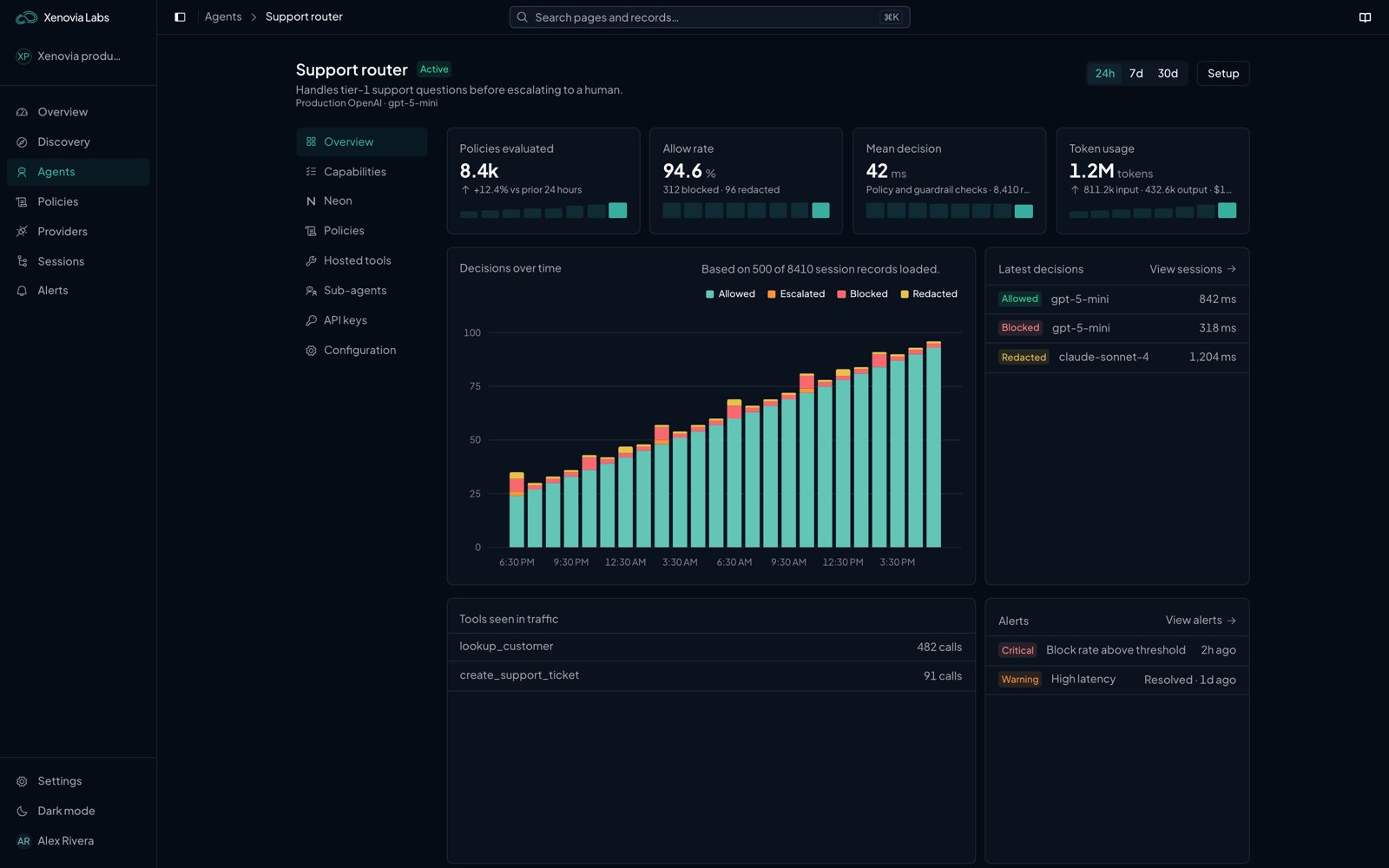
An agent's Overview tab
Check
Every action an agent takes is checked before it happens. For an app, that is each model request, each reply and each tool call the model proposes, sent through the agent’s endpoint. For a coding agent, it is each prompt and tool call its hooks send. Your code can check anything else with the Xenovia SDK. A check ends in a decision: allow, block, redact, or escalate for review. A block isn’t an error: your app gets a normal reply that says the request was refused, and the response headers say why.Policy
A policy is a hard rule you write in Rego, such as “never offer the model a tool calleddelete_database”. It runs at the model request or the model response, on every agent it covers, and gives the same answer every time. Policies run first at each stage. See Policies.
Neon
Neon is Xenovia’s decision model. It governs every agent, with nothing to switch on, and catches what no rule named: prompt injection, data leaks, tool calls that go further than the user asked, and requests outside the agent’s purpose. It also checks the guardrails you write in plain language. See Neon.Session
A session groups the turns of one conversation or run. Each turn records the request, the model call, every policy and Neon decision, tool calls, tokens and timing. When something is blocked, the session shows which rule fired. See Sessions.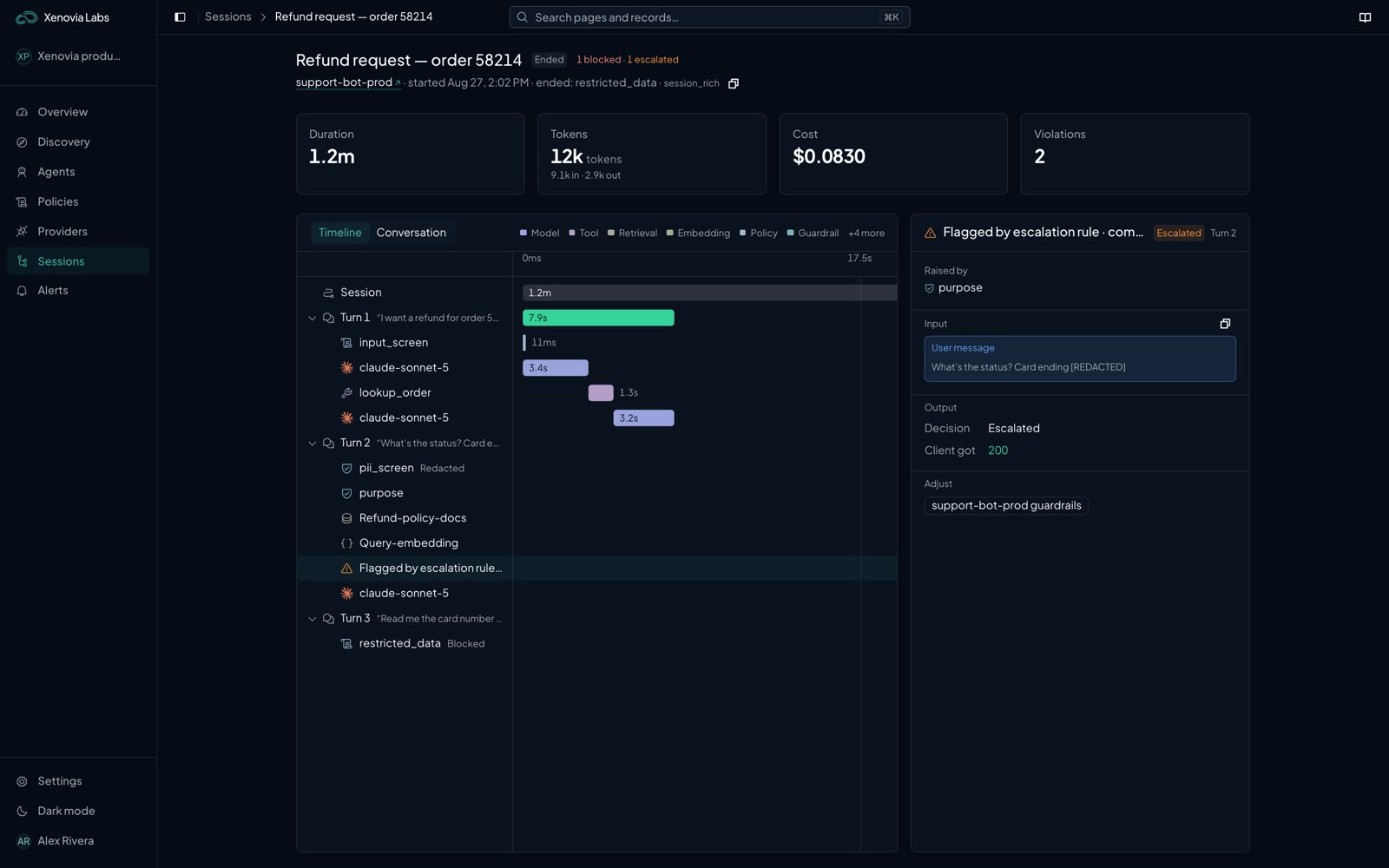
A session's turns, with Neon's checks on turn 2
Monitor and Enforce
Policies, Neon’s risks, the purpose check and guardrails each start in Monitor: they record what they would have done and change nothing. When the sessions show they’re right, switch them to Enforce, and they act. A policy’s mode is set per agent, so one policy can enforce on one agent and monitor on another.How a request flows
1
Authenticate
The
xe_ key is checked against the agent in the URL.2
Resolve the session
The request joins a session, and the response is stamped with
X-Xenovia-Session-Id and X-Xenovia-Trace-Id.3
Check the request
The hosted tool allow-list, request-stage policies, the purpose check and Neon run in that order. A block is answered at once; no model is called.
4
Call the model
The agent’s provider is called with its configured model, failing over to its fallbacks when it is down.
5
Check the reply
Response-stage policies and Neon check the reply and each tool call the model proposes, then the turn is recorded.
What next?

Quickstart
Set up your first agent.

Control
Write your first policy.

Sessions
Read what your agents did.