
 Docs
 Xenovia SDK
 API
Nova appears only when it is enabled for your Xenovia deployment. When it’s off, the Nova item, Ask Nova and every with Nova button are hidden. Ask your Xenovia contact or administrator to turn it on.
Where to find it
- Nova at the top of the sidebar opens Nova’s home: what it found that needs fixing, its suggestions, and what it is running.
- Ask Nova, at the bottom right of every page, opens a chat about the page you’re on. Turn on Include this page to let Nova see what you’re looking at. The chat can float, sit in a side panel or go full screen.
- The search box at the top (
⌘KorCtrl+K) can Ask Nova too.
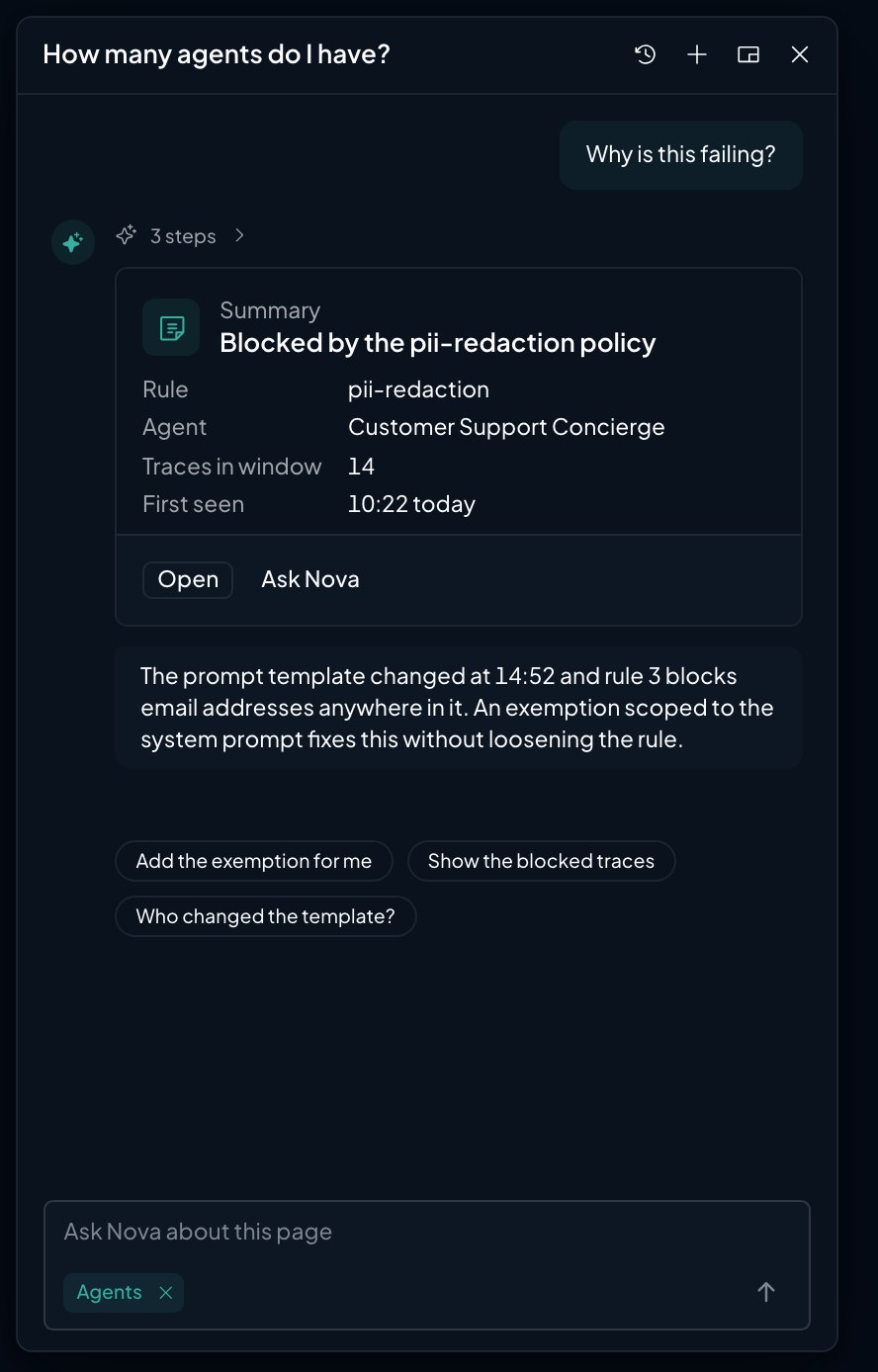
The Nova panel explaining why calls were blocked
What Nova does
You approve every change
Nova never changes anything by itself.- Suggestions. A change Nova proposes shows as a card marked Suggested, with Apply and Discard. Only admins can apply; members see the change. A suggestion whose target was edited since, or that expired, can’t be applied: ask Nova for a fresh one.
- Forms. When Nova creates something, it fills in the product’s own form, marking what it chose. You finish with the form’s own Create.
- Credentials. Keys and credentials always go through the product’s own forms. To connect an integration, applying the suggestion takes you to the integration’s page, where you enter the credentials yourself. A message that looks like it holds a key is held with a warning before it reaches Nova.
Credits
Nova uses your organization’s AI credits. When they run out, Nova answers again once credits are added.What next?

Quickstart
Set up Xenovia, with or without Nova.

Policies
Create a policy, manually or with Nova.

Simulation
Let Nova write scenarios to test your agent.