
 Docs
 Xenovia SDK
 API
The Alerts page
Alerts in the sidebar lists the alerts your rules fired, with their Severity (Info, Warning or Critical) and State (Firing or Resolved). Filter by state, severity or agent. Open an alert to see its condition, the observed value and threshold, its scope and when it fired, and jump to View filtered sessions or Open session. Xenovia also raises one built-in alert that needs no rule: a critical, organization-wide alert when Neon’s checks can’t be reached.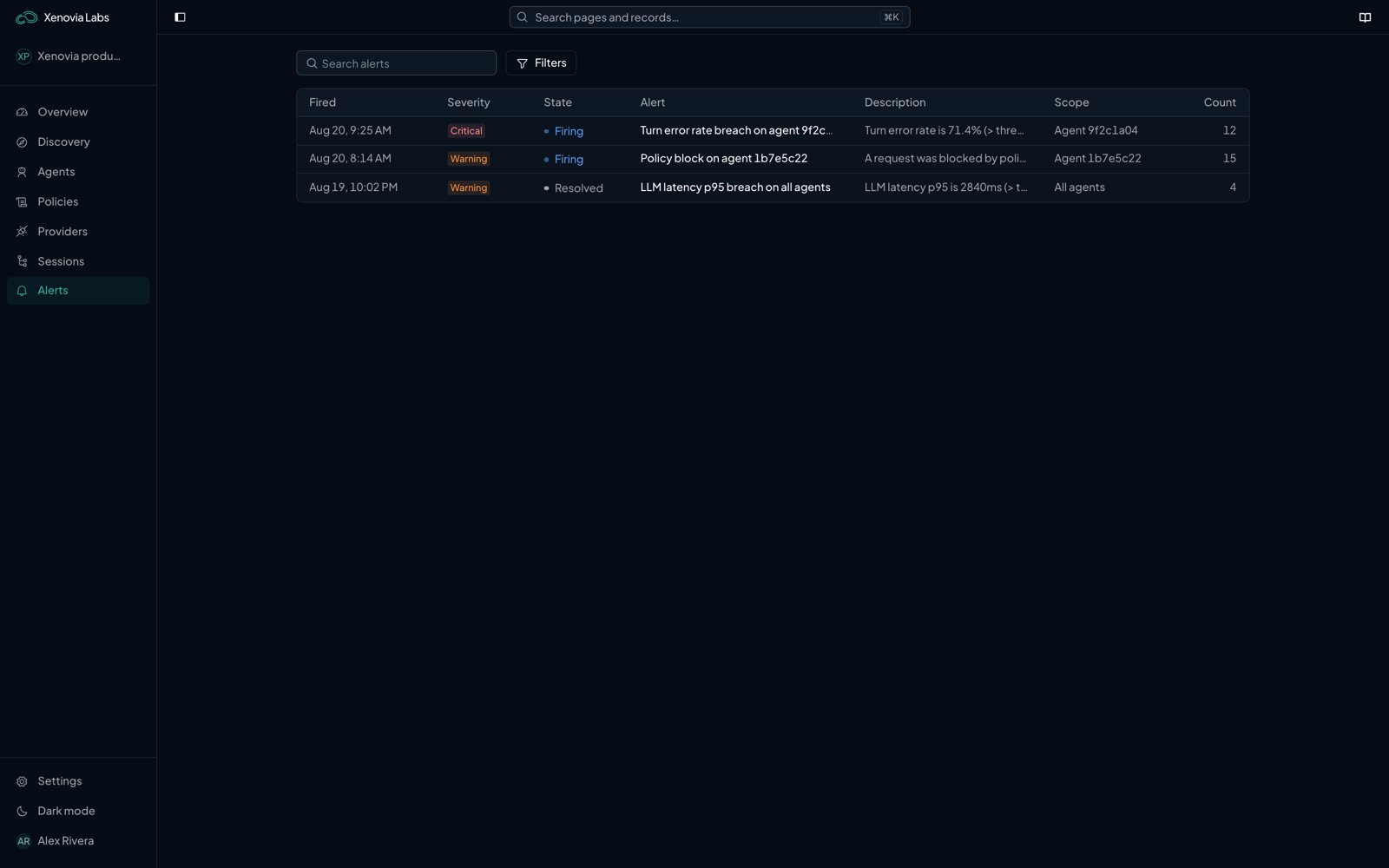
The Alerts page
Add a rule
Rules live in Settings › Alerts; Configure alert rules on the Alerts page takes you there. Admins manage rules and channels; members can read them.1
Trigger and scope
Choose Add rule. Give it a Name, pick its Alert condition (an event or a metric, below), its Scope (All agents or one agent) and its Severity (Warning or Critical). Optional Filters narrow it to a sub-agent, provider, model, policy rule or guardrail.
2
Notification
Choose its Notification channels (In-app, Email, Slack) and a Notification cooldown (5 minutes, 15 minutes or 1 hour): the minimum time between repeat notifications for the same alert.
Event rules
An event rule fires each time the event happens.Metric rules
A metric rule fires when a measure over an Evaluation window (5 minutes to 24 hours) crosses a threshold. Pick the Aggregation (such as Mean or p95), the Comparison and the Threshold. Group by fires one alert per agent, policy rule, guardrail or provider, and Minimum sample size keeps a rule quiet below that many requests.Channels
Set up channels under Notification channels in Settings › Alerts:- In-app: the alert shows on the Alerts page.
- Email: choose Organization users and add Additional emails.
- Slack: paste an Incoming webhook URL for the channel.
What next?

Sessions
Investigate what an alert points to.

Policies
Decide what escalates.

Fallbacks
Alert on provider failover.