
 Docs
 Xenovia SDK
 API
Compliance is in beta and off by default. It is turned on per organization by your Xenovia contact, or by the administrator of a self-hosted deployment; there is no switch for it in the console. Once it’s on, Compliance appears in the sidebar with a Beta badge.
Choose your frameworks
The first time, an admin chooses Choose frameworks: EU AI Act, NIST AI RMF, OWASP LLM, SOC 2, GDPR, HIPAA or PCI DSS. Xenovia suggests some from the data your agents handle. Change them later with Settings on the Compliance page.The Compliance page
The header shows how many of the framework’s controls are verified and how many are failing, and when they were last checked. Pick a Framework, then one of four tabs:
A control’s status comes from its automated checks, from what the runtimes did with the policies mapped to it over live traffic, and from the agents’ profiles. It is one of Verified, Failing, Monitoring, Configured, Not checked yet or Not covered. When telemetry is unavailable, statuses that rest on what the runtimes did read Not checked yet.
Open a control to see its automated checks, the Policies in force, Prebuilt policies you can add with Use template, exemptions, and failures in the last 90 days. The To do list offers Cover for gaps: it creates baselines that monitor and block nothing until you enforce them.
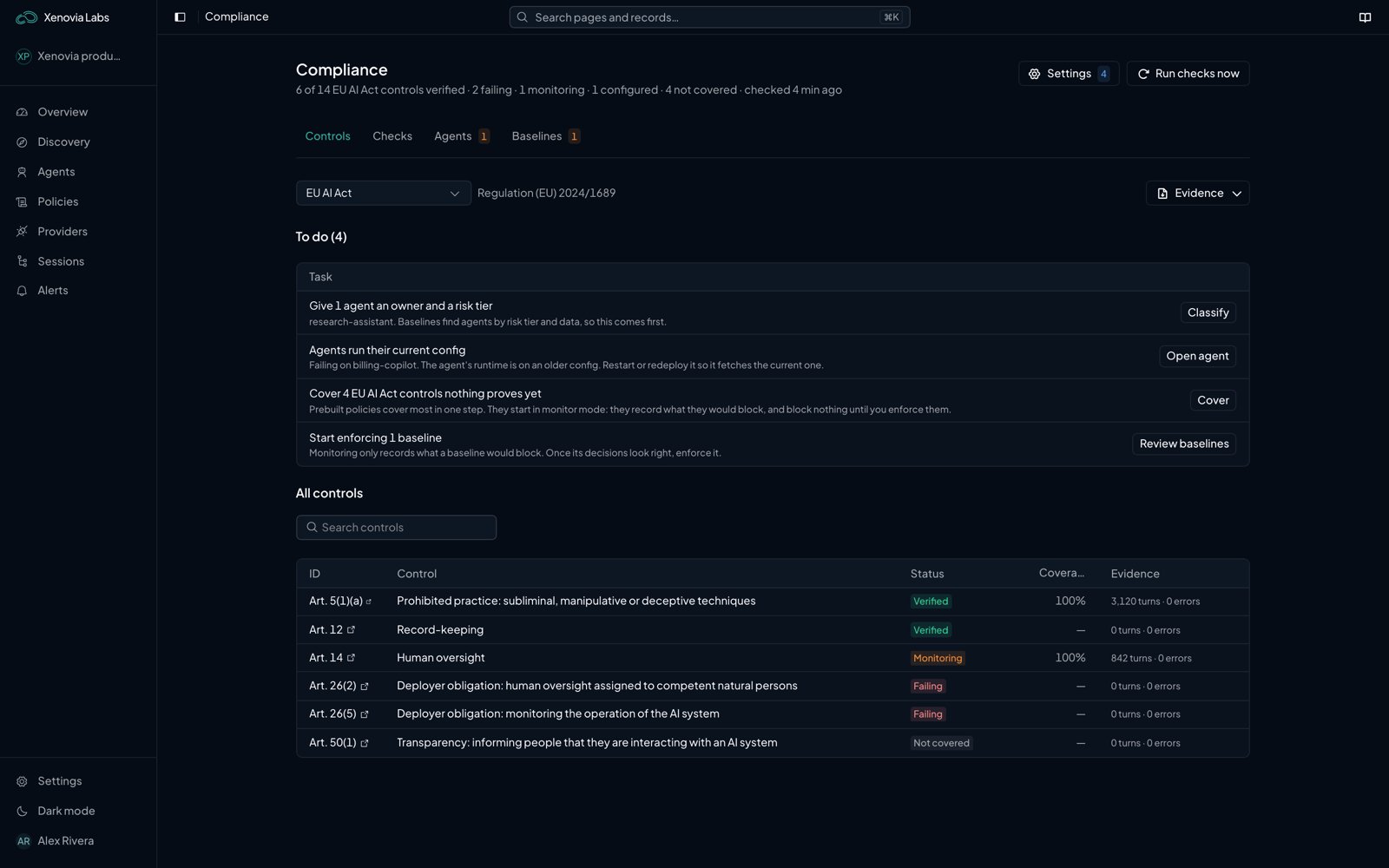
The Compliance page, Controls tab
Share the evidence
- Download evidence pack downloads the evidence for the framework, signed with the audit key when one is set up.
- Share with auditor creates a read-only link to the live evidence pack. Say Who it is for and when the link expires (7 to 90 days). Copy it at once: it is not stored and can’t be shown again. Every time the link is opened, it is recorded in the audit log. Revoke cuts access at once.
Alerts
With Compliance on, an alert rule can fire on Compliance check starts failing.What next?

Audit logs
The signed record behind the evidence.

Policies
Write the rules a control needs.

Alerts
Be told when a check starts failing.