
 Docs
 Xenovia SDK
 API
Read the log
Settings › Audit logs is for admins. Organization API keys can read it through the API too; members and Nova can’t. Each event shows When, Action, Resource, Actor, Source, Result and Request. Filter by action (Create, Update, Delete), resource (Agent, Policy, Provider, API key), result, source service (Control plane, Agent runtime), Who acted (a person, an API key, a deployment, Nova or the Discovery planner), event, user or request ID, and dates. Send your ownX-Request-ID with a management API request to have it recorded on the event. Some changes record their own action names, for example agent.sub_agent.create, neon.settings.update and agent.fallbacks.update, with the values before and after.
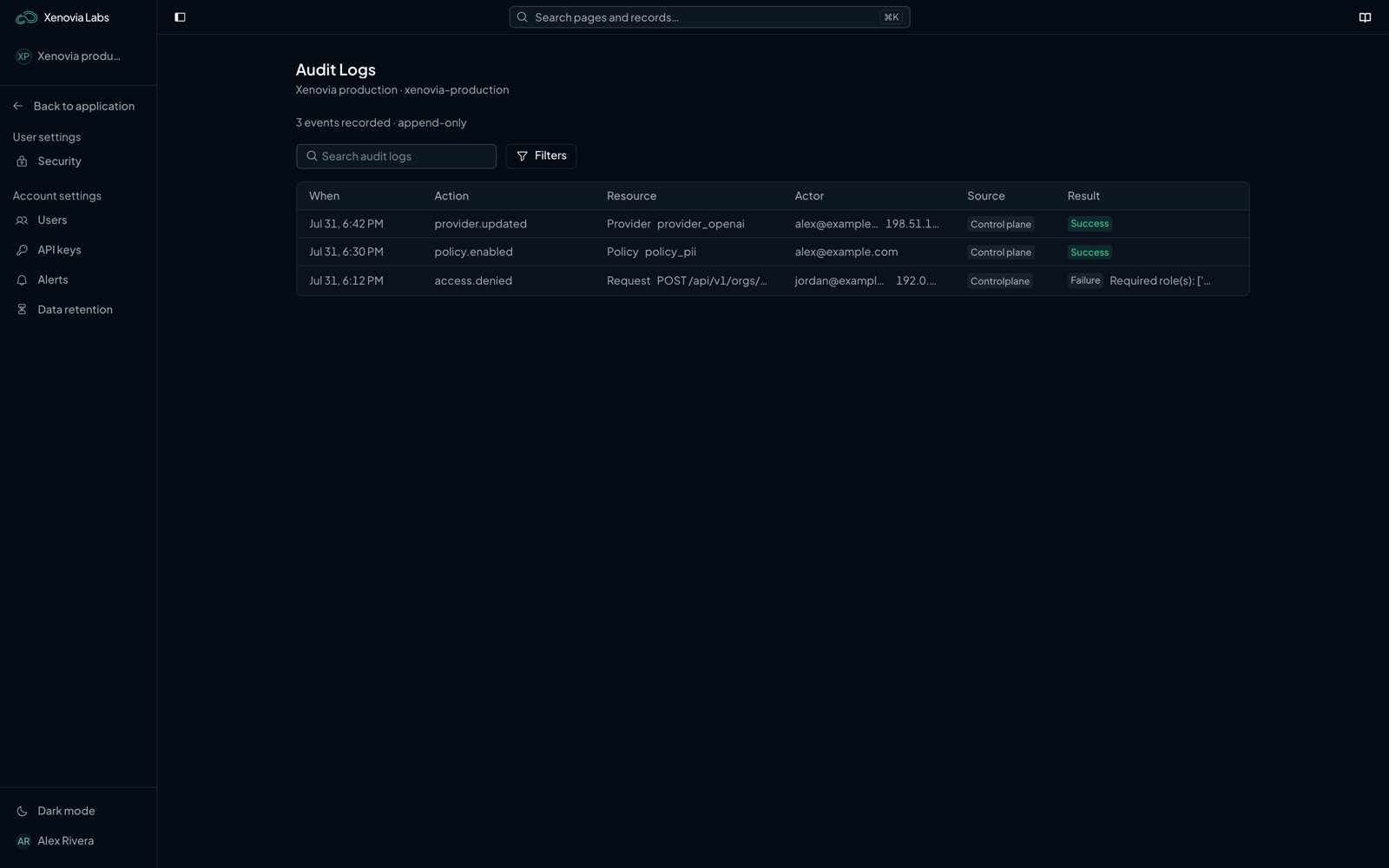
Settings › Audit logs
Verify it
Each event is sealed into a hash chain seconds after it is recorded: each record carries the hash of the one before it. When Compliance is on for your organization, the Integrity card shows:- Verify chain recomputes the chain and reports Intact or Broken. A break says which event is missing, no longer follows the one before it, or was changed after it was sealed.
- Download signed export downloads the chain as a JSON file signed with Ed25519, with the public key to check it against. Keep a copy outside Xenovia; the control plane’s
scripts/verify_audit_export.pychecks it offline.
With the API
What next?

Compliance
Turn the record into evidence for auditors.

Users and keys
Control who can make changes.

API
Read the log from a script.